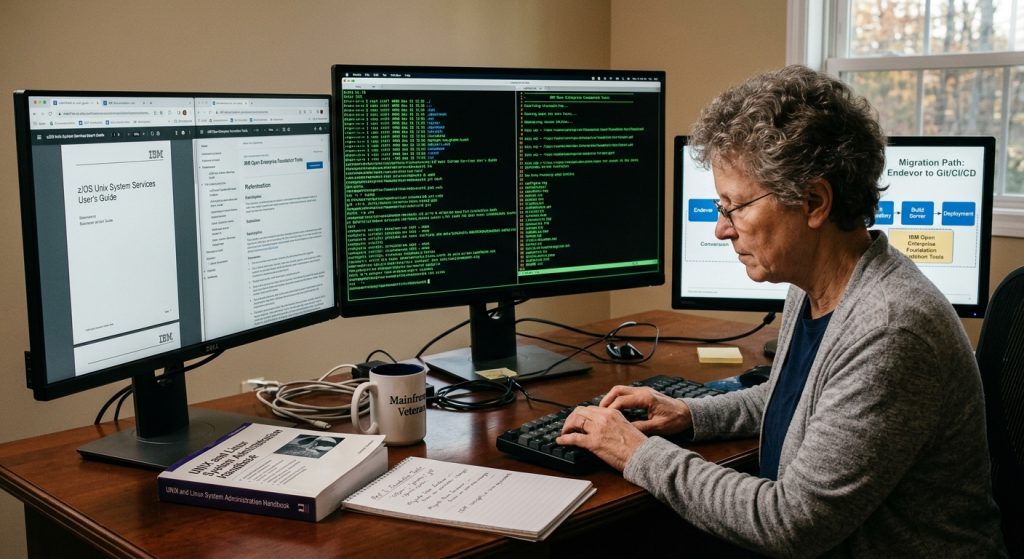
Part 1 covered the concepts and the minimal command set. Part 2 added the day-to-day USS commands confirmed in IBM’s Command Reference — find, grep, sed, awk, tar, and the rest. That part also flagged a real gap: base z/OS UNIX System Services doesn’t ship curl, less, or a full Bash, because those aren’t part of the standard shell command set.
This installment closes that gap. IBM Open Enterprise Foundation for z/OS is a no-cost, IBM-supported collection of the open source tools those Linux tutorials assume you already have — Git, Curl, GNU Bash, Vim, GPG, JQ, Perl, GNU Make, Less, and Ncurses. It’s installed through SMP/E like any other z/OS product (available via ShopZ), so it’s a system programmer’s install request, not something you download yourself — worth raising with your team now if it isn’t already on your LPAR.
Why this tier exists
Everything in Part 2 was already in z/OS. Everything in this part is added to z/OS — vetted, supported, and maintained by IBM specifically so that a DevOps toolchain built for Linux behaves the same way when it’s pointed at the mainframe. That distinction matters when you’re troubleshooting: if a command isn’t in Part 2’s list and isn’t in this one, don’t assume it’s there just because it’s common on Linux — verify with man or whence before you build a script around it, exactly as we recommended in Part 2.
git — the real thing
We talked about Git concepts in Part 1, but base USS doesn’t include Git itself. This is where it actually comes from. With Open Enterprise Foundation installed, git clone, git commit, git push, and the rest work exactly as documented upstream — no translation layer, no z/OS-specific quirks to relearn. This is likely the single most important tool in this package for your Endevor migration, since your new pipeline’s source of truth will live in a Git repository.
curl — pulling things from the network
curl transfers data to or from a URL — fetching an artifact from a repository, hitting an internal API, or downloading a release. It’s the tool a Jenkins pipeline step will often reach for when it needs to talk to something outside the box:
curl -O https://internal-artifact-server/build/latest.tar
GNU Bash — the shell you’ve read about
The USS default shell is a modified Korn shell, which covers most scripting needs. GNU Bash, once installed, gives you Bash-specific syntax if a script you’re adapting depends on it — arrays, certain parameter expansions, and [[ ]]conditional syntax that plain sh/ksh scripts don’t always support the same way. If you’re copying pipeline scripts written for Linux CI runners, this is often what makes them run unmodified.
vim — vi, with the extras
Part 1 pointed you at vi, which is standard on z/OS. vim (“vi improved”) is the enhanced version most Linux developers actually use day to day — syntax highlighting, better undo, plugin support. If you’re already comfortable with base vi, vim will feel immediately familiar with more conveniences layered on.
less — paging without the limits
Part 2 didn’t mention a pager because base USS gives you more and pg, not less. less is the more capable version most Linux users default to — it lets you scroll backward as well as forward through output, which more doesn’t do. Once installed, use it the way you’d use more: less logfile.txt, or piped from another command’s output.
perl — scripting with more muscle
Where a sed/awk chain from Part 2 gets unwieldy, Perl gives you a full scripting language built around exactly the kind of text and file processing mainframe automation leans on. Many older Unix-adjacent automation scripts in the wild are Perl, so having it available matters even if you don’t write new Perl yourself — you may well be maintaining it.
GNU Make — building things in order
make reads a Makefile that describes how pieces of a project depend on each other and builds only what’s changed — the Unix answer to a build step that used to be a JCL compile-and-linkedit sequence. If your new pipeline compiles anything as part of its process, a Makefile may well sit alongside the Jenkinsfile from Part 1.
gpg — encryption and signing
GPG signs and encrypts files and verifies signatures — used in this context most often to verify that a downloaded artifact or a tagged release hasn’t been tampered with. It’s the kind of integrity check that RACF handled differently in your old world; here it’s a file-level, portable proof instead of an access-control decision.
jq — working with JSON from the command line
A great deal of what CI/CD tooling passes around — API responses, configuration files, pipeline metadata — is JSON. jq lets you query and reshape it from the shell instead of writing a program to parse it:
curl -s https://api.example.com/status | jq '.result.state'
Ncurses — dashboards and interactive tools
Ncurses isn’t a command you’ll type directly; it’s a library other tools use to build interactive, full-screen terminal interfaces. If you ever end up with a text-based monitoring dashboard or interactive menu running in your USS session, there’s a good chance Ncurses is what’s drawing it — the closest analog to how ISPF itself draws its own panels.
Putting Part 2 and Part 3 together
A realistic pipeline step now might look like this: git pull to get the latest code (this part), piped output filtered through grep and awk (Part 2), a build driven by make (this part), and a status check posted back with curl and parsed with jq (this part). None of that is exotic once you’ve got both lists — it’s the same discipline you brought from JCL, just expressed in a toolset your Linux-side colleagues already speak fluently.
Where to go from here
Ask your systems programmer whether Open Enterprise Foundation is already installed on your LPAR — check with whence git or whence curl from your USS shell. If it comes back empty, that’s your first concrete ask as you move off Endevor: this package is free and IBM-supported, so there’s no licensing hurdle standing between you and a modern toolchain that actually works the way the tutorials assume it does.